
What’s new in Empi
Thoughtful improvements to make room for what matters.
Improved
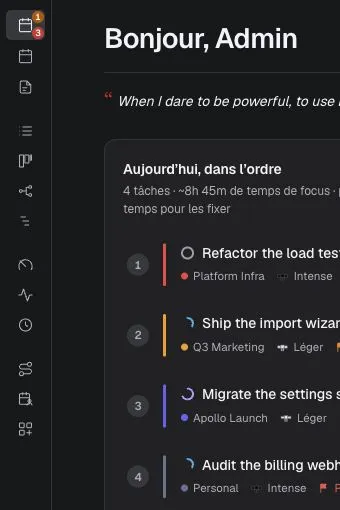
Keep deadline counts in view with a collapsed sidebar
Today's deadlines and overdue tasks stay visible on the Today icon when the sidebar is collapsed.
Collapse the sidebar without losing sight of your deadlines. The Today icon now keeps its orange due-today count and red overdue count visible.
When both counts are present, orange appears above red. Larger counts display as 99+; hover over Today or focus it with the keyboard to read the exact numbers.
Expand the sidebar to return to the usual full counters beside Today.
See your calendar patterns in Habits
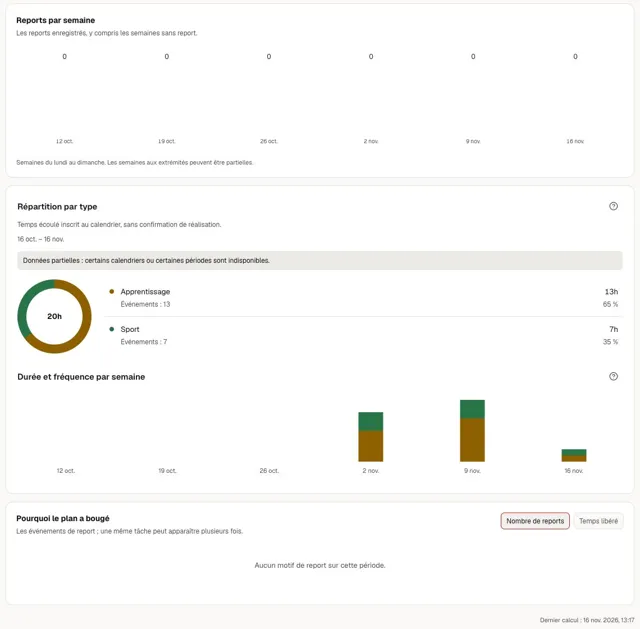
See duration, frequency and weekly patterns by calendar type after your planning habits, with event types preserved in daily details.
A Karate event tagged Sport now appears under Sport in Today’s daily event details, including events outside working hours and on display-only calendars.
The type distribution appears after your planning results and weekly rescheduling in Habits, with duration, share, event counts, separate all-day counts and weekly patterns. Category rows show totals without opening long event lists. Rescheduling reasons finish the view. Today keeps its existing planning indicators and typed daily details.
Use the question-mark button to understand the calculations. Canceled events, declined invitations and released reservations are excluded. Tentative invitations remain included, overlapping durations add up, and all-day events have no hourly share.
Habits describes elapsed calendar time rather than confirmed activity. Changes to events, types or enabled calendars can change past totals. Workload indicators keep their existing planning rules.
Fixed
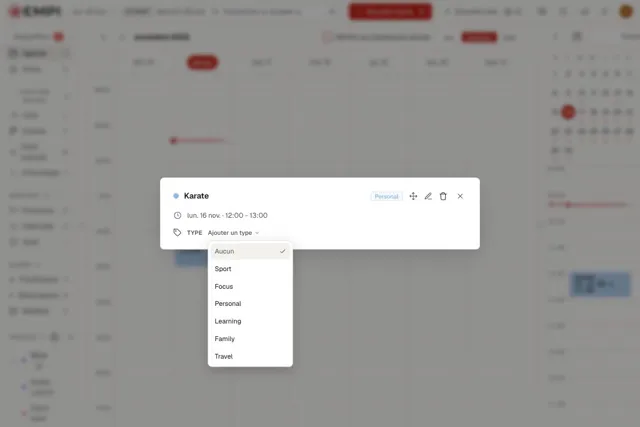
Choose event types without scrolling the event card
The event-type menu now opens outside the event card, so its options stay visible.
When you assign a type to a calendar event, the menu can now extend beyond the event card instead of being clipped inside it. You no longer need to scroll the card to reach the options.
The menu adjusts to the available screen space. Longer lists scroll within the menu, and Escape closes the menu while keeping the event details open.
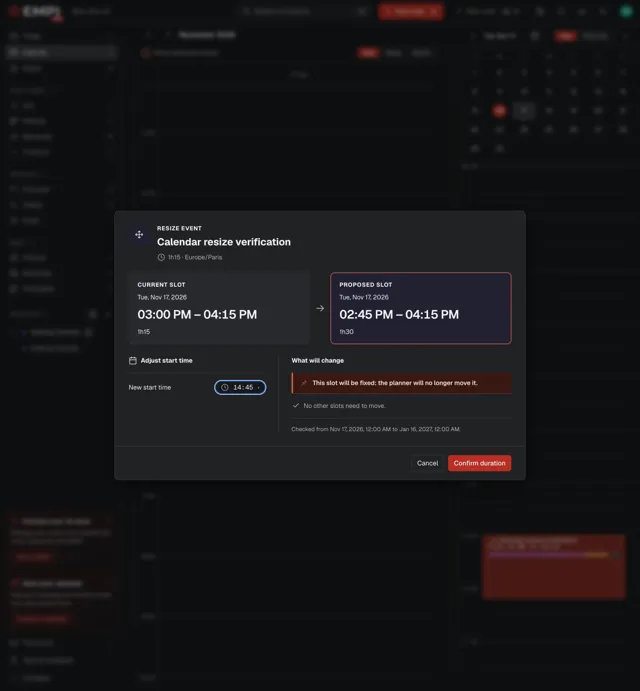
Move recurring events and resize from either edge
Move an occurrence with explicit overlap review, and adjust an event's start or end directly in your calendar.
Move a recurring event with This occurrence selected by default, or choose Entire series when you want to update the series.
When nearby tasks cannot all be rescheduled, Empi keeps their existing slots and shows the remaining overlaps. Accept the warning and conflicts explicitly before confirming the move.
In the day and week agenda and the calendar sidebar, drag the top edge to change the start or the bottom edge to change the end. The opposite edge stays fixed. Use the arrow keys to adjust in 15-minute steps, Enter to review, and Escape to cancel.