

What’s new in Empi
Thoughtful improvements to make room for what matters.
Improved
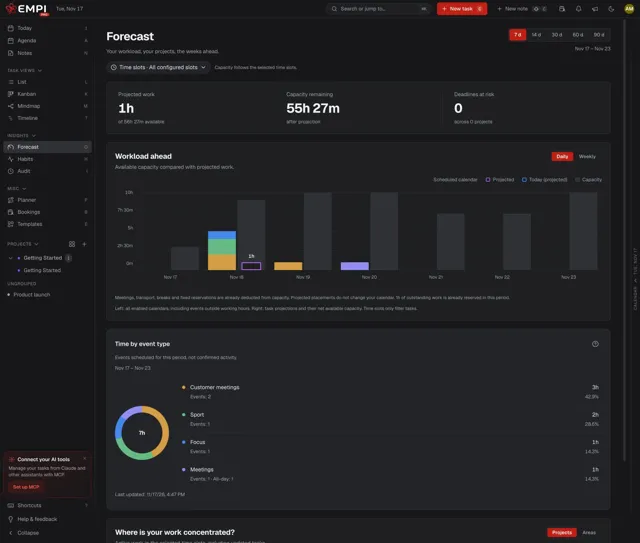
See where your scheduled calendar time goes
Forecast now shows meetings and other scheduled events by type, alongside projected tasks.
See how much time meetings and other calendar events take up in the days and weeks ahead. Forecast now shows scheduled time by your existing event types, with hours, event counts, and a share of the period total.
Scheduled calendar bars sit beside projected tasks. All enabled calendars are included, even outside working hours, while task capacity continues to follow your selected time slots. Habits keeps the view of past calendar time.
Overlapping events keep their individual durations. All-day events are counted separately, and incomplete calendar data is clearly marked.
Keep Evening focused on your routine
Daily load, deadlines, and weekly capacity now stay in Morning.
Evening now shows your daily quote and evening routine without the overview cards from Morning.
The cards stay out of the way when you start early, catch up on a missed routine, or finish your evening. Switch to Morning whenever you want to see your daily load, deadlines, and the week ahead.
Refined cards and more flexible notes
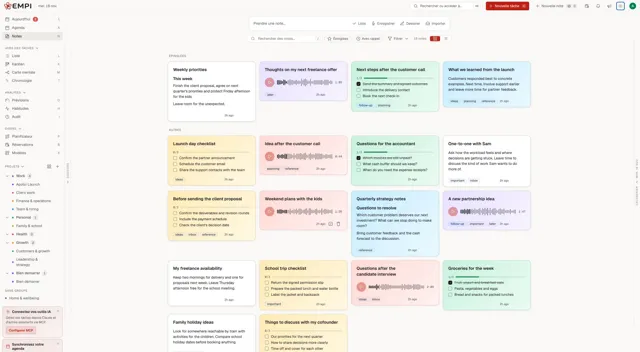
Keep text, checklists, recordings, drawings and imports together, with softer cards and clearer audio playback.
Notes have a softer look, with subtle gradients, cleaner spacing and the colors you choose as familiar visual cues.
Start with text, a checklist, a recording, a drawing or an import, then keep adding to the same note. Write around your media, add several recordings or drawings, and reopen the note to continue editing.
On mobile, waveform players show playback progress and let you move through a recording by touching the wave. Elapsed and total times sit neatly below it.
Existing notes keep their text and attachments when you open and edit them.
Fixed
Confirm upcoming trips in your evening routine
Review travel to upcoming meetings before the meeting day, even when the trip was estimated automatically.
Your evening routine now includes unconfirmed travel estimates for upcoming meetings, rather than only meetings on the day being reviewed. Each trip shows its meeting date and time so you can check the travel method before you leave.
Recurring meetings appear once per calendar. Confirming the travel choice applies to the series; skipping a trip leaves it available for your next review.
Compact, centered note controls
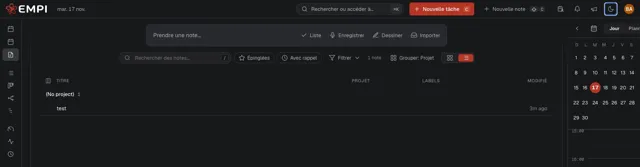
Find filters and view controls together in a centered toolbar that stays readable in grid and list views.
The notes toolbar now keeps search, filters, note counts, and view controls together.
The controls stay centered and wrap onto additional lines when space is limited, keeping grid and list switching within easy reach.
Open Today in the right routine
Today selects the routine you need sooner and returns to Morning as soon as you finish your evening review.
Today now opens directly into the routine that needs your attention.
Before your evening start time, an unfinished review from a previous active day takes priority. At your evening start time, Today opens the current evening routine if it still needs to be completed. Otherwise, you land on Morning.
Finishing an evening routine brings you straight back to Morning. You can switch routines manually whenever you need to.